Your life, finally in one place.
Meetings, tasks, reminders, habits, meds and flights on one calm timeline. Free to plan.
No card needed.


Why “finally”
Your day lives in six apps.
None of them talk.
The calendar, the to-do list, the pill alarm, the habit tracker, the flight buried in your inbox.
One timeline
Everything,
on one calm timeline.
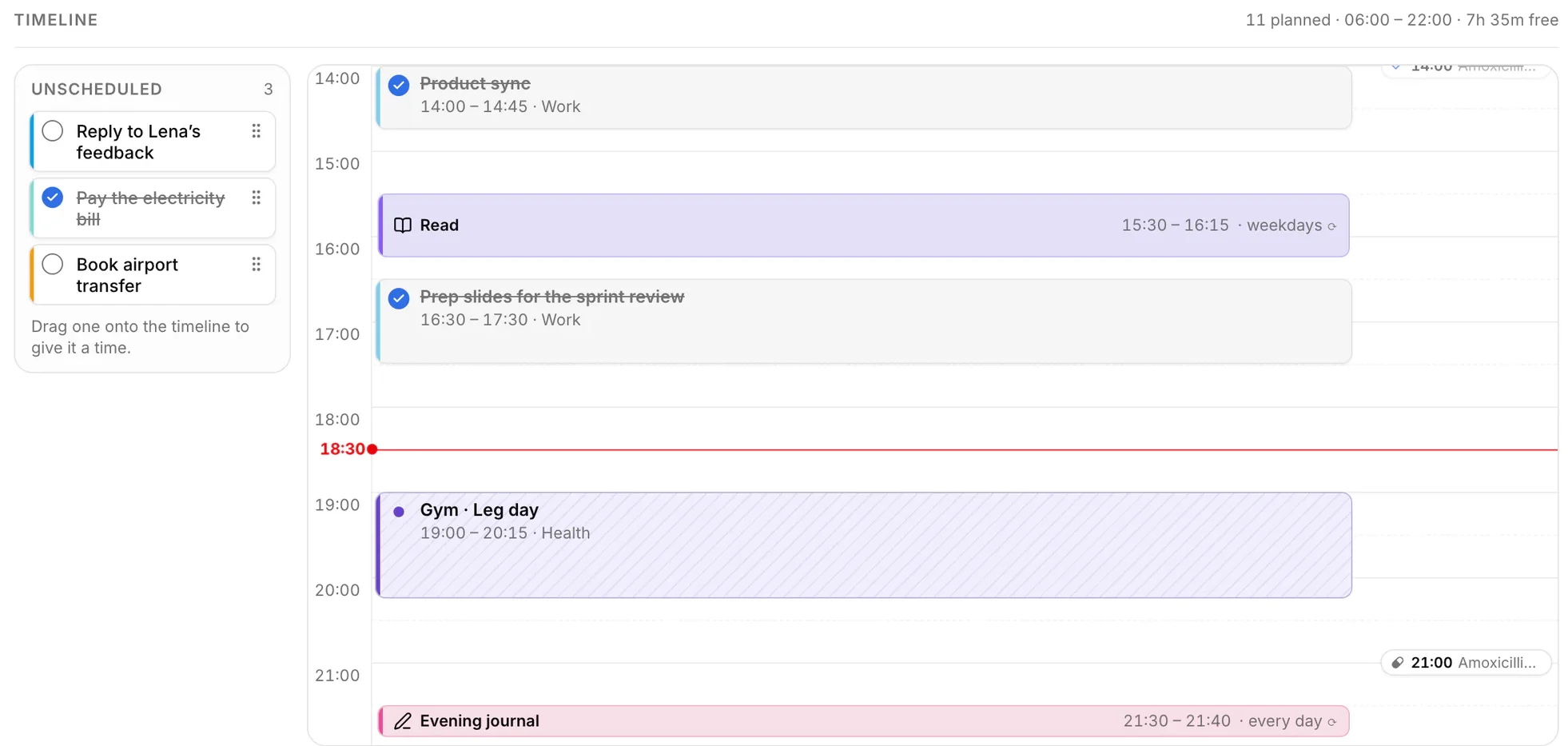
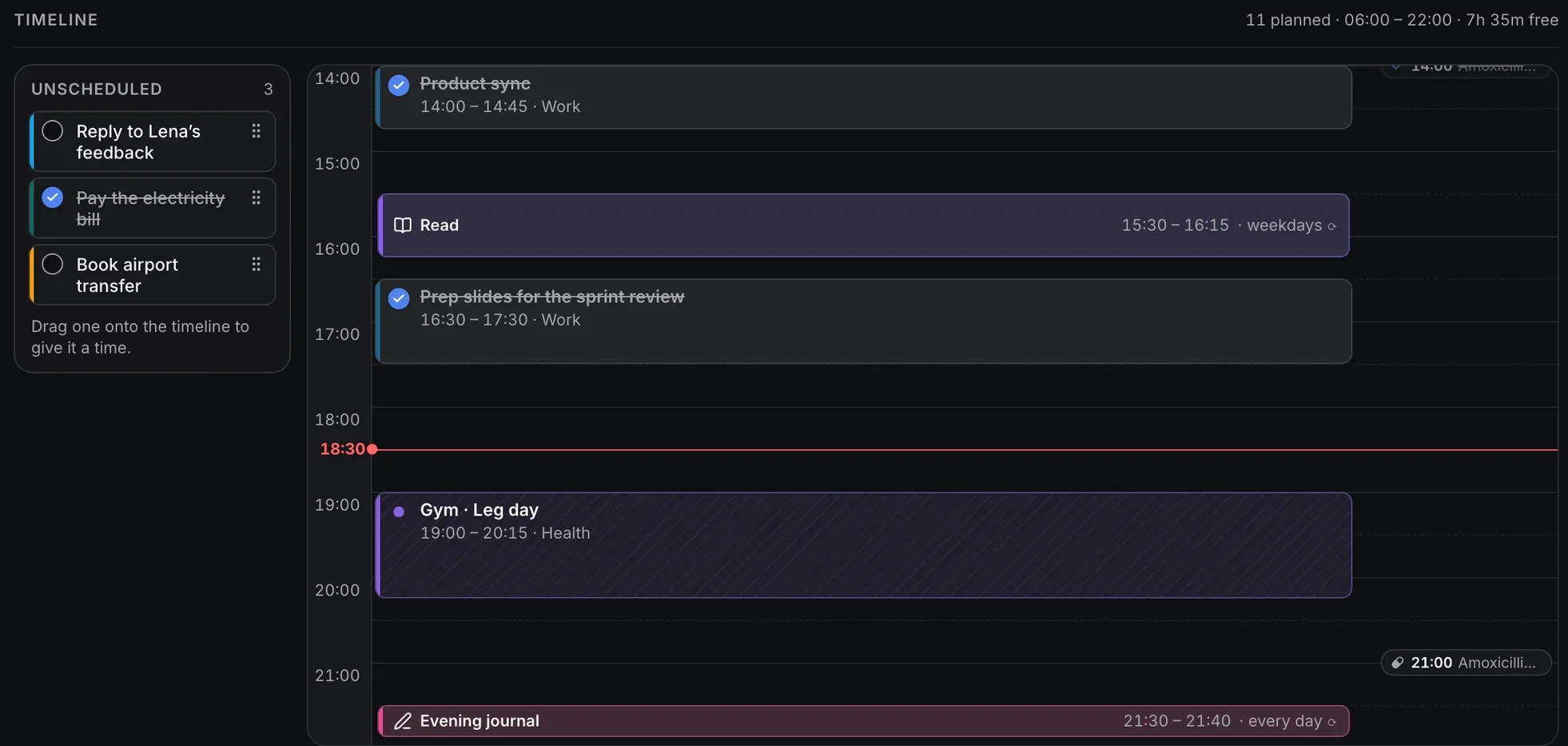
A “now” marker, your free time already counted, and anything without a time sitting right beside it. One look and you know what’s next and what still fits.
Nothing slips
The small things that slip
are rarely small.
A to-do app lists them. Creno makes sure you hear about them, on time.
Alarms that really ring
Set one anywhere, and your iPhone rings, even with Creno closed, through Silent mode and Focus.
Every dose, on your day
Creno keeps reminding you until it’s taken, and warns you before you run out.
Flights
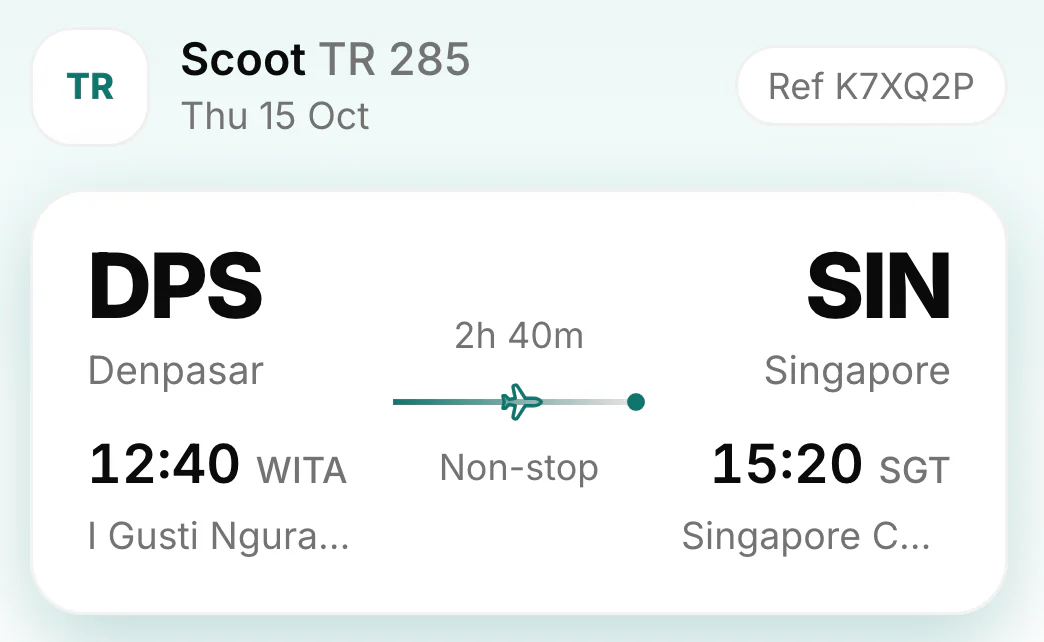
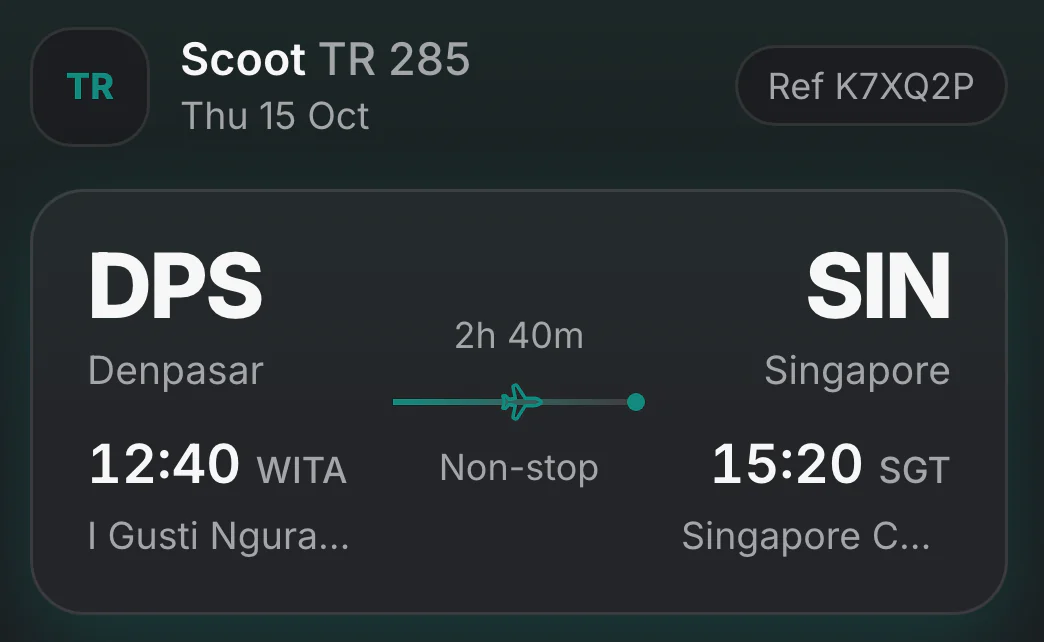
Your whole trip in one place: every leg, the layover, the boarding pass.
On the web today, iPhone soon. Synced, with widgets on your Home Screen.
Creno Pro
When the day changes,
just say it.
With Pro, you talk or type and Creno rearranges your plan, then tells you what it did, with one-tap undo.
Creno
You: Move the gym to tomorrow evening.
Privacy
Your life is yours.
No ads, no data sold, stored in the EU by a French company. The assistant only sees your plan when you ask it something, and it runs on OpenAI.
Read the privacy policyPricing
Free for good.
Or Pro, at $12.99 a month.
Free
$0for good
Your whole life in one place, on the web and iPhone.
- Your day as one timeline, or a list
- Week, month and year
- Reminders, alarms, medications and flights
- Habits and goals
- Journal, notes and shared schedules
- Home Screen widgets and alarms on iPhone
Pro
7 days free$119.99/ yearSave 23%
Just $10.00 a month, billed once a year.
$12.99/ month
Cancel any time.
Everything in Free, plus an assistant that rearranges your plan when you say so.
- The assistant — Ask what’s on, plan your day, move things around — it reads and changes your real planner.
- Voice mode — Talk it through hands-free, like a call.
- Live web answers — Weather, news, opening hours, anything current — looked up as you ask.
- Photos to tasks — Snap a timetable or a list and get tasks you can edit.
Prices in US dollars on the web; checkout shows your currency and tax. App Store prices may differ. Cancel before the trial ends and you won’t be charged.
FAQ
Questions, answered.
Something else? Visit support.
Is Creno really free?
Yes. Everything for planning — your day, the weeks ahead, reminders, alarms, medications, flights, habits, the journal, notes and shared schedules — is free, for good. Creno Pro adds the assistant.
Is there an iPhone app?
It’s on its way to the App Store, synced with the web, with widgets, alarms that really ring and Live Activities. Until then, Creno works in any browser, on your phone too.
What can the assistant do?
Move things, add a flight, find a free evening, tell you what’s left — by voice or text, in English or French, with undo on every change. It knows the world too: weather, opening hours and the news, looked up live. It comes with Pro, 7 days free.
What does the assistant see?
Only what it needs, and only when you ask: your message and the parts of your plan it looks up. They are sent to OpenAI, which powers it, and OpenAI is asked not to keep them. If you share a schedule, the people you share it with can ask their own assistant about what you let them see.
How do I cancel Pro?
On the web, from Creno Pro in Settings; on iPhone, in your Apple Account’s subscriptions. You keep Pro until the end of the period you paid for.

Your life, finally in one place.
Start planning, freeFree to plan. No card needed.